Snapshot, Casper, and Duet in context
The Altus Suite groups three assessments that many professional programs ask for as a package. Casper is the longest and most famous; it mixes video and typed responses across many scenarios. Duet is the values ranking tool with its own written rationale. Snapshot is the shortest, and it focuses on a handful of recorded video answers to interview-style questions.
Because Snapshot is mostly video, it is tempting to skip typing prep for it entirely. That is a mistake for two reasons. First, some programs pair Snapshot with typed supplementary prompts. Second, the same fluency that helps you under Casper and Duet helps you under any Snapshot variant that does include writing, and typing prep is non-destructive: it never hurts you to have it.
If you are prepping for the full Altus Suite, think of typing as a single investment that pays off across all three tests. The hours you put into Casper typing prep, Duet typing prep, and Snapshot typing prep compound, because the underlying motor skill is the same.
What a Snapshot written follow-up looks like
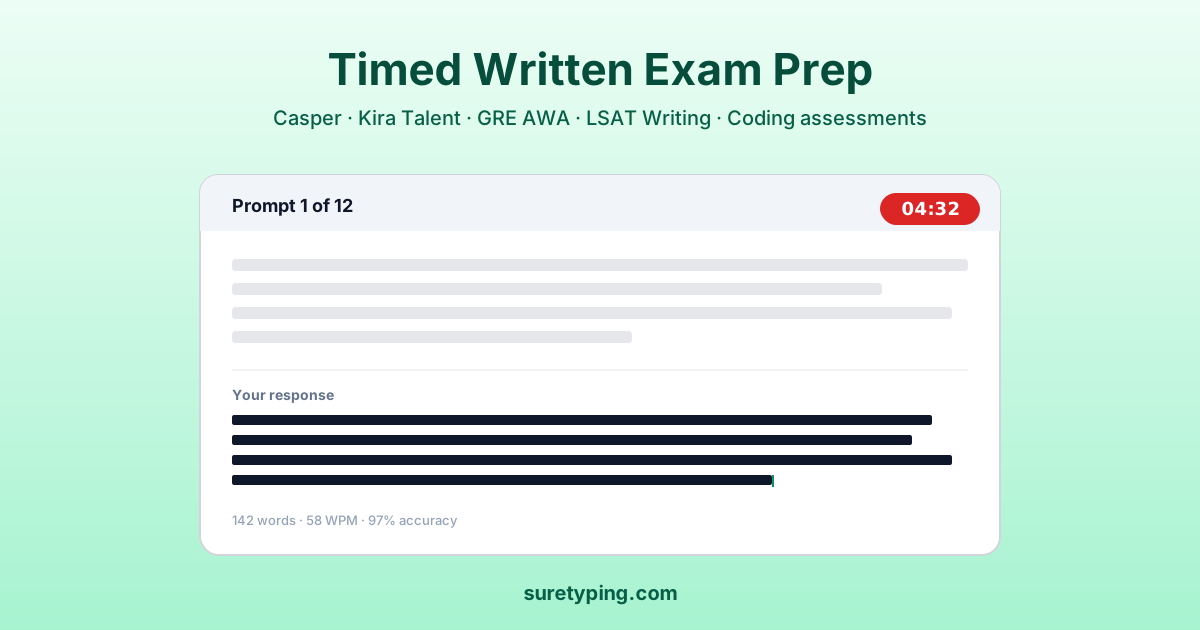
When a program pairs Snapshot with a written follow-up, the format is usually something like a one- or two-minute written reflection that extends a topic you just answered on video. The window is short and the prompt is tightly connected to what you just said out loud.
That creates a specific typing challenge: you are not writing from scratch. You are transcribing and extending a thought that is already half-formed in your head. If your typing speed cannot keep up with your spoken thinking, you will lose the nuances you just articulated on camera.
The Snapshot quick vocab lesson is designed exactly for this: short, high-frequency words that tend to show up when you are summarizing your own reasoning out loud. Words like because, which, while, however, instead, and therefore are the glue that holds a short reflective response together.
Opener phrases that save seconds
Short-format writing lives or dies on the first sentence. In a 60- or 90-second typed reflection, if you spend 20 seconds figuring out how to start, you have already lost a third of your time. This is where prepared opener phrases are surprisingly powerful.
The Snapshot opener phrases lesson drills a small bank of opener phrases that work across almost any reflective prompt. Phrases like 'what I would focus on first is,' 'the reason I leaned that way is,' and 'the main consideration for me was' give you an entry point without sounding templated.
You do not use the same opener every time. You rotate through the bank based on what fits the specific prompt. The point of drilling them is so that on test day, the choice of opener is the only thing you are thinking about, not the typing of it.
One-minute and two-minute drills
Most Snapshot written follow-ups fall into two windows: one minute or two minutes. The one-minute window is brutal. You have to state a position, give one reason, and stop. The two-minute window is more forgiving and allows for a small trade-off sentence.
The Snapshot one-minute lesson 1 and one-minute lesson 2 drill the tight format. You type full reflective responses to generic prompts under a one-minute clock. Accuracy is the non-negotiable here; speed is secondary. A typo in a one-minute response is much more visible than in a longer essay.
The Snapshot two-minute lesson gives you more room. Use it for drilling the three-sentence shape: position, reason, tradeoff. That shape transfers directly to any reflective writing surface, which is why it is worth drilling even if your specific Snapshot session does not include writing.
Why accuracy beats raw speed here
On longer assessments like the GRE AWA or LSAT Writing, you can hide a few typos in a long response. On a 60-second Snapshot follow-up, you cannot. Every typo is a visible fraction of the total content. That changes what typing prep should target.
For Snapshot written follow-ups, I tell students to optimize for accuracy at 35 to 45 WPM rather than push for higher raw speed. A clean 40 WPM response is better than a messy 55 WPM response in this format, because the reader sees both the mistakes and the corrections.
The Snapshot full simulation is the capstone lesson. It puts you through a generic reflective prompt under a realistic clock and grades both speed and accuracy. Running it a handful of times in the final week is the quickest way to calibrate whether you are ready.
Layering Snapshot prep on top of Casper and Duet
If you are preparing for the full Altus Suite, you do not need three separate hour-long sessions per day. A single 30-minute typing session can rotate across Snapshot, Casper, and Duet drills. Day one: Snapshot quick vocab and opener phrases. Day two: Casper scenario vocab. Day three: Duet rationale stems. Day four: Snapshot one-minute simulation. Cycle continues.
The rotation prevents boredom and also captures the fact that typing is one skill with three surfaces. Improvements in one surface pull the others up. This is different from subject knowledge, where each test has its own specific content.
For the underlying typing conditioning that supports the whole rotation, the adaptive AI practice is a useful background layer. It calibrates to your current accuracy and speed and gives you general-purpose drills that keep your baseline climbing.
Final checklist
The day before your Snapshot session, do one short simulation to stay warm, then stop. Heavy practice the day of or the day before a real test usually hurts more than it helps. Rested hands are accurate hands.
Check your setup. Snapshot runs in a browser, and keyboard quality matters more than people expect. If you have been practicing on a mechanical keyboard and your test laptop has a mushy membrane, you will lose accuracy. Practice on the device you will actually use.
Finally, remember that Snapshot is primarily a video assessment. The typing prep is insurance against the written follow-up format, not the main event. Put enough hours in to be comfortable, then trust the rest of your Altus prep to carry you.
- Optimize for accuracy at 35 to 45 WPM, not raw speed.
- Drill opener phrases separately; they save the most time.
- Use the three-sentence shape for two-minute prompts.
- Practice on the exact device and keyboard you will use on test day.
- Do one light simulation the day before, then rest your hands.