
The Four Phases of Learning Touch Typing
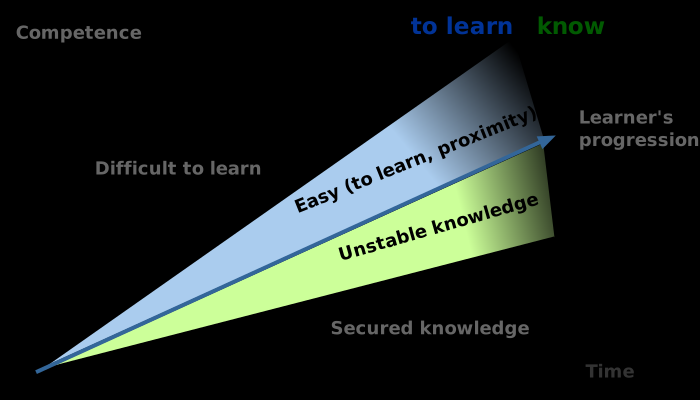
Touch typing learning does not progress linearly. Most people go through four recognizable phases: unfamiliarity, instability, consolidation, and fluency. Understanding which phase you are in prevents you from quitting at the worst possible moment — which is usually just before things start clicking.
- Phase 1 — Unfamiliarity (week 1-2): Keys feel in the wrong place. Speed drops sharply. This is normal and expected, not a sign the method is not working.
- Phase 2 — Instability (week 2-5): You can find most keys without looking, but not consistently. Speed fluctuates. This is the hardest phase psychologically.
- Phase 3 — Consolidation (week 4-8): Patterns start to feel automatic. Speed begins recovering steadily. Errors become more predictable.
- Phase 4 — Fluency (month 2-4+): Speed matches or exceeds previous level. Typing starts to feel effortless on common words.
What Variables Change the Timeline?
Practice frequency matters more than total hours. Practicing 30 minutes daily advances you faster than two-hour sessions twice a week, because motor skill consolidation happens during rest periods between sessions. Daily repetition reinforces patterns more effectively than equivalent weekly volume.
Your starting point also affects the timeline. Beginners with minimal keyboard experience sometimes progress faster than experienced hunt-and-peckers because they do not have competing muscle memory to overwrite. Experienced typists can plateau in phase 2 for longer because the old habits fight back under pressure.
What Makes People Give Up Too Early?
Most people who quit touch typing do so during phase 2 — the instability phase — because their speed has dropped from their old level and the new layout does not yet feel comfortable. From the inside, this looks like failure. From the outside, it is just normal learning.
A useful benchmark: if you can type the home row keys accurately and comfortably, you are past phase 1. If you can find most other keys without looking, even slowly, you are in phase 2. Neither of those stages means the method is failing — they mean the training is working and patience is required.
Realistic Timelines by Starting Speed
These estimates assume daily practice of 20–40 minutes. Skipping days extends timelines proportionally.
- Starting under 30 WPM (beginner or infrequent computer user): functional fluency in 6–10 weeks, matching original speed in 3–4 months.
- Starting at 30–50 WPM (casual user): functional fluency in 4–7 weeks, matching original speed in 2–3 months.
- Starting at 50+ WPM (regular but hunt-and-peck or semi-touch): functional fluency in 3–5 weeks, exceeding original speed within 2 months.
How to Practice Efficiently on SureTyping
SureTyping's structured lessons start from the home row and introduce new key groups only after current ones feel stable. This prevents the common mistake of trying to learn the full keyboard at once, which overloads working memory and slows consolidation.
Use the AI adaptive trainer once you have covered the core lessons. It identifies the specific keys still breaking your rhythm and drills those rather than repeating work you have already mastered. That targeted approach compresses the consolidation phase significantly compared to generic practice.